graph TD
    A["User Query"] --> B["Goal Creator<br/><small>Interpret intent, clarify ambiguity</small>"]
    B --> C["Planner<br/><small>Decompose into steps</small>"]
    C --> D["Executor<br/><small>Call tools, query LLMs</small>"]
    D --> E["Reflector<br/><small>Evaluate output quality</small>"]
    E --> F{"Done?"}
    F -->|No| C
    F -->|Yes| G["Response"]

    H["Memory<br/><small>Short-term & long-term</small>"] -.-> C
    H -.-> D
    H -.-> E
    I["Tools<br/><small>APIs, search, code exec</small>"] -.-> D
    J["Guardrails<br/><small>Input/output validation</small>"] -.-> B
    J -.-> G

    style A fill:#4a90d9,color:#fff,stroke:#333
    style B fill:#9b59b6,color:#fff,stroke:#333
    style C fill:#e67e22,color:#fff,stroke:#333
    style D fill:#27ae60,color:#fff,stroke:#333
    style E fill:#f5a623,color:#fff,stroke:#333
    style G fill:#1abc9c,color:#fff,stroke:#333
    style H fill:#7f8c8d,color:#fff,stroke:#333
    style I fill:#7f8c8d,color:#fff,stroke:#333
    style J fill:#e74c3c,color:#fff,stroke:#333
Design Patterns for AI Agents
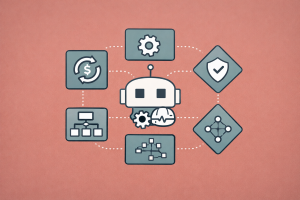
A practical catalogue of architectural patterns — from reflection and tool use to multi-agent collaboration — for building reliable, production-grade LLM agents
Keywords: AI agent design patterns, agentic workflows, reflection, tool use, planning, multi-agent collaboration, routing, orchestrator-workers, evaluator-optimizer, prompt chaining, parallelization, guardrails, ReAct, LangGraph, LlamaIndex, agent architecture
Introduction
Building a useful AI agent is easy. Building a reliable one is hard. The difference almost always comes down to architecture — specifically, which design patterns you choose and how you compose them.
Over the past two years, the AI community has converged on a set of recurring architectural patterns that appear in every successful agent system — whether it’s a coding assistant resolving GitHub issues, a research agent synthesizing papers, or a customer-support bot handling refunds. These patterns are not framework-specific. They work with OpenAI, Anthropic, open-source models, LangGraph, LlamaIndex, CrewAI, or raw API calls.
Andrew Ng identified four foundational agentic design patterns — Reflection, Tool Use, Planning, and Multi-Agent Collaboration — that improve GPT-4 and GPT-3.5 performance. Anthropic’s engineering team documented practical workflow patterns — Prompt Chaining, Routing, Parallelization, Orchestrator-Workers, and Evaluator-Optimizer — observed in dozens of production deployments. Liu et al. catalogued 18 architectural patterns for foundation model-based agents with detailed trade-off analysis. And Lilian Weng’s foundational survey on LLM-powered autonomous agents decomposed agents into Planning, Memory, and Tool Use components.
This article synthesizes these perspectives into a practical pattern catalogue — organized by complexity, with concrete code examples, architecture diagrams, and guidance on when to use (and when to avoid) each pattern.
The Agent Architecture Stack
Before diving into individual patterns, it helps to understand where they fit in the overall agent architecture. Every LLM agent, regardless of framework, consists of the same core components:
The patterns in this article map to different components and interactions within this stack. We’ll build from simple compositional workflows up to fully autonomous agents, following Anthropic’s advice: start with the simplest solution possible, and only increase complexity when needed.
Pattern 1: Prompt Chaining
The simplest agentic pattern. Decompose a task into a fixed sequence of LLM calls, where each call processes the output of the previous one. Programmatic checks (“gates”) between steps ensure the process stays on track.
graph LR
    A["Input"] --> B["LLM Call 1<br/><small>Generate</small>"]
    B --> C{"Gate<br/><small>Check quality</small>"}
    C -->|Pass| D["LLM Call 2<br/><small>Refine</small>"]
    C -->|Fail| B
    D --> E["LLM Call 3<br/><small>Format</small>"]
    E --> F["Output"]

    style A fill:#4a90d9,color:#fff,stroke:#333
    style B fill:#9b59b6,color:#fff,stroke:#333
    style C fill:#f5a623,color:#fff,stroke:#333
    style D fill:#9b59b6,color:#fff,stroke:#333
    style E fill:#9b59b6,color:#fff,stroke:#333
    style F fill:#1abc9c,color:#fff,stroke:#333
When to Use
- Tasks that decompose cleanly into fixed subtasks (e.g., generate outline → validate → write content → translate)
- When you want to trade latency for accuracy by making each LLM call easier
- When intermediate results need programmatic validation
Implementation
from openai import OpenAI

client = OpenAI()


def chain_step(prompt: str, model: str = "gpt-4o-mini") -> str:
    """Single LLM call in the chain."""
    response = client.chat.completions.create(
        model=model,
        messages=[{"role": "user", "content": prompt}],
        temperature=0,
    )
    return response.choices[0].message.content


def prompt_chain_example(topic: str) -> str:
    """Generate a blog post through a 3-step chain."""
    # Step 1: Generate outline
    outline = chain_step(
        f"Create a detailed outline for a blog post about: {topic}. "
        f"Return only the outline with numbered sections."
    )

    # Gate: Check outline has at least 3 sections
    if outline.count("\n") < 3:
        outline = chain_step(
            f"The following outline is too short. Expand it to at least 5 sections:\n{outline}"
        )

    # Step 2: Write content from outline
    content = chain_step(
        f"Write a blog post based on this outline. "
        f"Each section should be 2-3 paragraphs:\n\n{outline}"
    )

    # Step 3: Add summary and polish
    final = chain_step(
        f"Add an executive summary at the top and a conclusion at the bottom "
        f"of this blog post. Fix any grammar issues:\n\n{content}"
    )

    return final
Trade-offs
| Strength | Weakness |
|---|---|
| Simple to implement and debug | Fixed sequence — can’t adapt to input |
| Each step is a focused, easier task | Latency compounds across steps |
| Gates catch errors early | If step 1 fails, everything downstream fails |
Pattern 2: Routing
Classify an input and direct it to a specialized handler. This allows you to optimize prompts and tool configurations per category without one-size-fits-all compromises.
graph TD
    A["Input"] --> B["Router<br/><small>Classify input type</small>"]
    B -->|Type A| C["Handler A<br/><small>Specialized prompt + tools</small>"]
    B -->|Type B| D["Handler B<br/><small>Different prompt + tools</small>"]
    B -->|Type C| E["Handler C<br/><small>Another specialization</small>"]
    C --> F["Output"]
    D --> F
    E --> F

    style A fill:#4a90d9,color:#fff,stroke:#333
    style B fill:#e67e22,color:#fff,stroke:#333
    style C fill:#9b59b6,color:#fff,stroke:#333
    style D fill:#9b59b6,color:#fff,stroke:#333
    style E fill:#9b59b6,color:#fff,stroke:#333
    style F fill:#1abc9c,color:#fff,stroke:#333
When to Use
- Distinct categories of input that benefit from different handling (e.g., customer support: general questions vs. refund requests vs. technical issues)
- When you want to route simple queries to cheaper/faster models and complex queries to more capable ones
- When optimizing for one input type hurts performance on others
Implementation
import json
from openai import OpenAI

client = OpenAI()

ROUTE_SCHEMA = {
    "type": "function",
    "function": {
        "name": "route_query",
        "description": "Classify the user query into a category.",
        "parameters": {
            "type": "object",
            "properties": {
                "category": {
                    "type": "string",
                    "enum": ["technical_support", "billing", "general_inquiry", "complaint"],
                    "description": "The category of the user's query",
                },
                "complexity": {
                    "type": "string",
                    "enum": ["simple", "complex"],
                    "description": "Whether the query requires a simple or complex response",
                },
            },
            "required": ["category", "complexity"],
        },
    },
}


def route_query(query: str) -> dict:
    """Classify a query into category and complexity."""
    response = client.chat.completions.create(
        model="gpt-4o-mini",
        messages=[
            {"role": "system", "content": "Classify the user's query."},
            {"role": "user", "content": query},
        ],
        tools=[ROUTE_SCHEMA],
        tool_choice={"type": "function", "function": {"name": "route_query"}},
    )
    return json.loads(response.choices[0].message.tool_calls[0].function.arguments)


# Specialized handlers per category
HANDLERS = {
    "technical_support": "You are a technical support specialist. Provide step-by-step solutions.",
    "billing": "You are a billing specialist. Help with payment and subscription issues.",
    "general_inquiry": "You are a helpful assistant. Provide clear, concise answers.",
    "complaint": "You are a customer relations specialist. Be empathetic and solution-oriented.",
}


def handle_query(query: str) -> str:
    """Route and handle a query."""
    route = route_query(query)
    system_prompt = HANDLERS[route["category"]]

    # Use a more capable model for complex queries
    model = "gpt-4o" if route["complexity"] == "complex" else "gpt-4o-mini"

    response = client.chat.completions.create(
        model=model,
        messages=[
            {"role": "system", "content": system_prompt},
            {"role": "user", "content": query},
        ],
    )
    return response.choices[0].message.content
Trade-offs
| Strength | Weakness |
|---|---|
| Each handler is optimized for its category | Routing errors cascade into wrong handlers |
| Cost optimization through model selection | Overhead of classification step |
| Clean separation of concerns | Adding new categories requires updating router |
Pattern 3: Reflection
Ask the LLM to critique and improve its own output. This is the simplest pattern that creates a genuine feedback loop, and Andrew Ng reports it as one of the most reliably effective patterns.
graph TD
    A["Input"] --> B["Generator<br/><small>Produce initial output</small>"]
    B --> C["Critic<br/><small>Evaluate and suggest improvements</small>"]
    C --> D{"Good<br/>enough?"}
    D -->|No| E["Refiner<br/><small>Apply feedback</small>"]
    E --> C
    D -->|Yes| F["Output"]

    style A fill:#4a90d9,color:#fff,stroke:#333
    style B fill:#9b59b6,color:#fff,stroke:#333
    style C fill:#e67e22,color:#fff,stroke:#333
    style E fill:#27ae60,color:#fff,stroke:#333
    style F fill:#1abc9c,color:#fff,stroke:#333
Reflection can take several forms, mirroring the taxonomy from Liu et al.’s pattern catalogue:
| Reflection Type | Description | Best For |
|---|---|---|
| Self-Reflection | Same agent evaluates its own output | Speed, single-agent systems |
| Cross-Reflection | A different agent/model evaluates | Complex tasks, diverse perspectives |
| Human Reflection | Human provides feedback in the loop | High-stakes decisions, alignment |
Implementation: Self-Reflection
def generate_with_reflection(
    task: str,
    max_rounds: int = 3,
    model: str = "gpt-4o-mini",
) -> str:
    """Generate output with iterative self-reflection."""
    client = OpenAI()

    # Step 1: Initial generation
    messages = [
        {"role": "system", "content": "You are an expert assistant."},
        {"role": "user", "content": task},
    ]
    response = client.chat.completions.create(model=model, messages=messages, temperature=0.7)
    draft = response.choices[0].message.content

    for round_num in range(max_rounds):
        # Step 2: Critique
        critique_response = client.chat.completions.create(
            model=model,
            messages=[{
                "role": "user",
                "content": f"Task: {task}\n\nDraft:\n{draft}\n\n"
                           f"Critique this draft. List specific issues with "
                           f"correctness, completeness, clarity, and style. "
                           f"If the draft is excellent, respond with 'APPROVED'.",
            }],
            temperature=0,
        )
        critique = critique_response.choices[0].message.content

        if "APPROVED" in critique.upper():
            break

        # Step 3: Refine based on critique
        refine_response = client.chat.completions.create(
            model=model,
            messages=[{
                "role": "user",
                "content": f"Task: {task}\n\nDraft:\n{draft}\n\n"
                           f"Critique:\n{critique}\n\n"
                           f"Rewrite the draft addressing all critique points.",
            }],
            temperature=0.7,
        )
        draft = refine_response.choices[0].message.content

    return draft
Implementation: Cross-Reflection with LangGraph
from typing import TypedDict, Annotated
from langgraph.graph import StateGraph, END
from langgraph.graph.message import add_messages
from langchain_openai import ChatOpenAI


class ReflectionState(TypedDict):
    task: str
    draft: str
    critique: str
    round: int
    max_rounds: int


generator = ChatOpenAI(model="gpt-4o-mini", temperature=0.7)
critic = ChatOpenAI(model="gpt-4o", temperature=0)  # More capable critic


def generate(state: ReflectionState) -> dict:
    if state.get("critique"):
        prompt = (
            f"Task: {state['task']}\nDraft: {state['draft']}\n"
            f"Critique: {state['critique']}\nRewrite addressing all issues."
        )
    else:
        prompt = state["task"]
    response = generator.invoke([{"role": "user", "content": prompt}])
    return {"draft": response.content, "round": state.get("round", 0) + 1}


def critique(state: ReflectionState) -> dict:
    response = critic.invoke([{
        "role": "user",
        "content": f"Task: {state['task']}\nDraft:\n{state['draft']}\n\n"
                   f"Provide detailed critique. Say 'APPROVED' if excellent.",
    }])
    return {"critique": response.content}


def should_continue(state: ReflectionState) -> str:
    if "APPROVED" in state.get("critique", "").upper():
        return END
    if state.get("round", 0) >= state.get("max_rounds", 3):
        return END
    return "generate"


graph = StateGraph(ReflectionState)
graph.add_node("generate", generate)
graph.add_node("critique", critique)
graph.set_entry_point("generate")
graph.add_edge("generate", "critique")
graph.add_conditional_edges("critique", should_continue, {"generate": "generate", END: END})

app = graph.compile()
When Reflection Helps (and When It Doesn’t)
Helps: Code generation (test against unit tests), writing/translation (subjective quality), factual QA (verify against retrieved sources), math (check intermediate steps).
Doesn’t help: Simple factual lookups, classification tasks, when the model can’t evaluate its own domain expertise (e.g., advanced medical diagnosis).
Pattern 4: Tool Use
Equip the LLM with external functions it can call — search, code execution, APIs, databases — to ground its reasoning in real observations rather than hallucinating.
Tool Use is the foundation of the ReAct pattern (Reason + Act), where the agent interleaves thinking with tool calls in a loop. This is covered extensively in our article on Building a ReAct Agent from Scratch.
graph TD
    A["User Query"] --> B["LLM<br/><small>Reason about tools needed</small>"]
    B --> C{"Tool call<br/>needed?"}
    C -->|Yes| D["Tool Execution<br/><small>API, search, code, DB</small>"]
    D --> E["Observation<br/><small>Tool output</small>"]
    E --> B
    C -->|No| F["Final Answer"]

    style A fill:#4a90d9,color:#fff,stroke:#333
    style B fill:#9b59b6,color:#fff,stroke:#333
    style D fill:#e67e22,color:#fff,stroke:#333
    style E fill:#27ae60,color:#fff,stroke:#333
    style F fill:#1abc9c,color:#fff,stroke:#333
Tool Design Best Practices
Anthropic’s engineering team emphasizes that tool design matters as much as prompt design. Think of it as building an Agent-Computer Interface (ACI) — you should invest as much effort here as in Human-Computer Interfaces (HCI).
from langchain_core.tools import tool


# Good: Clear name, detailed docstring, constrained inputs
@tool
def search_knowledge_base(
    query: str,
    category: str = "all",
    max_results: int = 5,
) -> str:
    """Search the internal knowledge base for technical documentation.

    Use this tool when the user asks about:
    - API references, endpoints, and parameters
    - Configuration guides and how-to instructions
    - Known issues and workarounds

    DO NOT use this for general knowledge questions — use web_search instead.

    Args:
        query: Natural language search query. Be specific.
        category: Filter by category. Options: "api", "config", "troubleshooting", "all".
        max_results: Number of results to return (1-10).

    Returns:
        Relevant documentation excerpts with source references.
    """
    # Implementation here
    ...


# Bad: Vague name, no docstring, ambiguous purpose
@tool
def search(q: str) -> str:
    """Search for stuff."""  # Too vague — which search? When to use?
    ...
Key principles from Anthropic’s SWE-bench work:
- Use absolute paths, not relative — the model won’t track directory changes correctly
- Include examples of correct usage in tool descriptions
- Constrain inputs — use enums, ranges, and required fields to prevent malformed calls
- Make errors informative — return actionable error messages, not stack traces
- Poka-yoke — design tools so it’s hard to make mistakes
Tool Registry Pattern
When an agent has access to many tools (10+), you can’t fit all descriptions into the context window. The Tool/Agent Registry pattern from Liu et al.’s catalogue maintains a searchable catalogue of tools:
from llama_index.core.tools import FunctionTool, ToolMetadata

# Register tools with rich metadata
tool_registry = {}


def register_tool(func, name: str, description: str, category: str):
    """Register a tool with metadata for dynamic selection."""
    tool_registry[name] = {
        "tool": FunctionTool.from_defaults(fn=func, name=name, description=description),
        "category": category,
        "description": description,
    }


def select_tools(query: str, max_tools: int = 5) -> list:
    """Dynamically select the most relevant tools for a query.
    Uses embedding similarity to match query against tool descriptions."""
    # In practice, embed the query and tool descriptions,
    # then return the top-k most similar tools
    ...
This is analogous to RAG for tools — retrieve the most relevant tool descriptions before each LLM call, rather than stuffing all of them into every prompt.
Pattern 5: Planning
Let the LLM autonomously decide what sequence of steps to execute. This is the most powerful — and most unpredictable — single-agent pattern.
Planning manifests in two forms:
graph TD
    subgraph SP["Single-Path Planning"]
        A1["Goal"] --> A2["Step 1"] --> A3["Step 2"] --> A4["Step 3"] --> A5["Result"]
    end

    subgraph MP["Multi-Path Planning"]
        B1["Goal"] --> B2["Step 1"]
        B2 --> B3a["Option A"]
        B2 --> B3b["Option B"]
        B3a --> B4a["Step 2A"]
        B3b --> B4b["Step 2B"]
        B4a --> B5["Best Result"]
        B4b --> B5
    end

    style SP fill:#F2F2F2,stroke:#D9D9D9
    style MP fill:#F2F2F2,stroke:#D9D9D9
    style A5 fill:#27ae60,color:#fff,stroke:#333
    style B5 fill:#27ae60,color:#fff,stroke:#333
Single-Path Plan Generator (Chain-of-Thought): Generate a linear sequence of steps. Simple, efficient, but inflexible if unexpected results appear.
Multi-Path Plan Generator (Tree-of-Thoughts): Generate multiple candidate approaches, evaluate each, and select the best. More robust, but significantly more expensive.
Implementation: Plan-and-Execute
import json
from openai import OpenAI

client = OpenAI()

PLAN_SCHEMA = {
    "type": "function",
    "function": {
        "name": "create_plan",
        "description": "Create a step-by-step plan to accomplish a task.",
        "parameters": {
            "type": "object",
            "properties": {
                "steps": {
                    "type": "array",
                    "items": {
                        "type": "object",
                        "properties": {
                            "step_number": {"type": "integer"},
                            "description": {"type": "string"},
                            "tool": {"type": "string", "description": "Tool to use for this step"},
                            "depends_on": {
                                "type": "array",
                                "items": {"type": "integer"},
                                "description": "Step numbers this step depends on",
                            },
                        },
                        "required": ["step_number", "description", "tool"],
                    },
                },
            },
            "required": ["steps"],
        },
    },
}


def create_plan(task: str, available_tools: list[str]) -> list[dict]:
    """Generate an execution plan for a complex task."""
    response = client.chat.completions.create(
        model="gpt-4o",
        messages=[
            {
                "role": "system",
                "content": f"You are a planning agent. Available tools: {available_tools}. "
                           f"Create a minimal plan — use the fewest steps possible.",
            },
            {"role": "user", "content": task},
        ],
        tools=[PLAN_SCHEMA],
        tool_choice={"type": "function", "function": {"name": "create_plan"}},
    )
    plan = json.loads(response.choices[0].message.tool_calls[0].function.arguments)
    return plan["steps"]


def execute_plan(plan: list[dict], tools: dict) -> dict:
    """Execute a plan step by step, passing results between steps."""
    results = {}
    for step in sorted(plan, key=lambda s: s["step_number"]):
        # Gather dependency results
        context = {
            dep: results[dep] for dep in step.get("depends_on", []) if dep in results
        }
        # Execute the step
        tool_name = step["tool"]
        if tool_name in tools:
            result = tools[tool_name](step["description"], context)
        else:
            result = f"Tool '{tool_name}' not available"
        results[step["step_number"]] = result
    return results
When to Use Planning
From Andrew Ng’s experience: Planning is a very powerful capability; on the other hand, it leads to less predictable results. Reflection and Tool Use are more mature patterns. Use Planning when:
- The task cannot be decomposed in advance — the steps depend on intermediate results
- You need the agent to recover from unexpected errors by re-planning
- The task is inherently exploratory (research, investigation, debugging)
Pattern 6: Parallelization
Run multiple LLM calls simultaneously and aggregate results. Two key variations:
graph TD
    subgraph Sectioning["Sectioning"]
        A1["Task"] --> A2["Subtask A"]
        A1 --> A3["Subtask B"]
        A1 --> A4["Subtask C"]
        A2 --> A5["Aggregator"]
        A3 --> A5
        A4 --> A5
        A5 --> A6["Output"]
    end

    subgraph Voting["Voting"]
        B1["Task"] --> B2["Attempt 1"]
        B1 --> B3["Attempt 2"]
        B1 --> B4["Attempt 3"]
        B2 --> B5["Majority Vote"]
        B3 --> B5
        B4 --> B5
        B5 --> B6["Output"]
    end

    style Sectioning fill:#F2F2F2,stroke:#D9D9D9
    style Voting fill:#F2F2F2,stroke:#D9D9D9
    style A6 fill:#27ae60,color:#fff,stroke:#333
    style B6 fill:#27ae60,color:#fff,stroke:#333
Sectioning: Break a task into independent subtasks and process them simultaneously. Example: evaluate code quality, security, and performance in parallel.
Voting: Run the same task multiple times and aggregate. Example: have three models independently classify content, take the majority vote. This pattern maps to Liu et al.’s Voting-based Cooperation pattern for multi-agent systems.
Implementation
import asyncio
from openai import AsyncOpenAI

aclient = AsyncOpenAI()


async def parallel_section(task: str, aspects: list[str]) -> dict:
    """Evaluate a task from multiple aspects in parallel (Sectioning)."""
    async def evaluate_aspect(aspect: str) -> tuple[str, str]:
        response = await aclient.chat.completions.create(
            model="gpt-4o-mini",
            messages=[{
                "role": "user",
                "content": f"Evaluate the following from the perspective of {aspect}:\n\n{task}",
            }],
        )
        return aspect, response.choices[0].message.content

    results = await asyncio.gather(*[evaluate_aspect(a) for a in aspects])
    return dict(results)


async def parallel_vote(task: str, n_votes: int = 3) -> str:
    """Run the same classification multiple times and take majority vote (Voting)."""
    async def single_vote() -> str:
        response = await aclient.chat.completions.create(
            model="gpt-4o-mini",
            messages=[{"role": "user", "content": task}],
            temperature=0.7,  # Some randomness for diversity
        )
        return response.choices[0].message.content.strip()

    votes = await asyncio.gather(*[single_vote() for _ in range(n_votes)])

    # Majority vote
    from collections import Counter
    vote_counts = Counter(votes)
    return vote_counts.most_common(1)[0][0]


# Usage: sectioning
# results = await parallel_section(
#     "Review this Python code: ...",
#     aspects=["correctness", "security", "performance", "readability"]
# )

# Usage: voting
# label = await parallel_vote(
#     "Classify this text as positive, negative, or neutral: 'The product works but shipping was slow'"
# )
Pattern 7: Orchestrator-Workers
A central orchestrator LLM dynamically breaks down tasks and delegates to worker LLMs, then synthesizes the results. Unlike Parallelization, the subtasks are not pre-defined — the orchestrator decides what’s needed based on the input.
graph TD
    A["Complex Task"] --> B["Orchestrator<br/><small>Analyze, decompose, delegate</small>"]
    B --> C["Worker 1<br/><small>Subtask A</small>"]
    B --> D["Worker 2<br/><small>Subtask B</small>"]
    B --> E["Worker N<br/><small>Subtask N</small>"]
    C --> F["Orchestrator<br/><small>Synthesize results</small>"]
    D --> F
    E --> F
    F --> G["Final Output"]

    style A fill:#4a90d9,color:#fff,stroke:#333
    style B fill:#e67e22,color:#fff,stroke:#333
    style C fill:#9b59b6,color:#fff,stroke:#333
    style D fill:#9b59b6,color:#fff,stroke:#333
    style E fill:#9b59b6,color:#fff,stroke:#333
    style F fill:#e67e22,color:#fff,stroke:#333
    style G fill:#1abc9c,color:#fff,stroke:#333
This maps to Liu et al.’s Role-based Cooperation pattern, where agents assume roles like planner, assigner, and worker. MetaGPT, XAgent, and CrewAI all implement this pattern.
Implementation with LangGraph
from typing import TypedDict, Annotated
from langgraph.graph import StateGraph, END
from langgraph.graph.message import add_messages
from langchain_openai import ChatOpenAI
import json


class OrchestratorState(TypedDict):
    task: str
    subtasks: list[dict]
    results: dict
    final_output: str


orchestrator_llm = ChatOpenAI(model="gpt-4o", temperature=0)
worker_llm = ChatOpenAI(model="gpt-4o-mini", temperature=0)


def decompose(state: OrchestratorState) -> dict:
    """Orchestrator decomposes the task into subtasks."""
    response = orchestrator_llm.invoke([{
        "role": "user",
        "content": f"Break this task into 2-5 independent subtasks. "
                   f"Return JSON array of objects with 'id' and 'description':\n\n{state['task']}",
    }])
    subtasks = json.loads(response.content)
    return {"subtasks": subtasks}


def execute_subtasks(state: OrchestratorState) -> dict:
    """Workers execute each subtask."""
    results = {}
    for subtask in state["subtasks"]:
        response = worker_llm.invoke([{
            "role": "user",
            "content": f"Complete this subtask:\n{subtask['description']}",
        }])
        results[subtask["id"]] = response.content
    return {"results": results}


def synthesize(state: OrchestratorState) -> dict:
    """Orchestrator synthesizes worker results."""
    results_text = "\n\n".join(
        f"Subtask {k}: {v}" for k, v in state["results"].items()
    )
    response = orchestrator_llm.invoke([{
        "role": "user",
        "content": f"Original task: {state['task']}\n\n"
                   f"Subtask results:\n{results_text}\n\n"
                   f"Synthesize these into a comprehensive final answer.",
    }])
    return {"final_output": response.content}


graph = StateGraph(OrchestratorState)
graph.add_node("decompose", decompose)
graph.add_node("execute", execute_subtasks)
graph.add_node("synthesize", synthesize)
graph.set_entry_point("decompose")
graph.add_edge("decompose", "execute")
graph.add_edge("execute", "synthesize")
graph.add_edge("synthesize", END)

orchestrator_app = graph.compile()
Pattern 8: Evaluator-Optimizer (Iterative Refinement)
One LLM generates a response while another LLM evaluates and provides feedback, in a loop. This is the production-strength version of the Reflection pattern — instead of self-critique, a separate evaluator with explicit rubrics drives improvement.
graph TD
    A["Input"] --> B["Generator LLM<br/><small>Produce output</small>"]
    B --> C["Evaluator LLM<br/><small>Score against rubrics</small>"]
    C --> D{"Score ≥<br/>threshold?"}
    D -->|No| E["Feedback<br/><small>Specific improvements needed</small>"]
    E --> B
    D -->|Yes| F["Output ✓"]

    style A fill:#4a90d9,color:#fff,stroke:#333
    style B fill:#9b59b6,color:#fff,stroke:#333
    style C fill:#e67e22,color:#fff,stroke:#333
    style F fill:#27ae60,color:#fff,stroke:#333
When to Use
This pattern works when:
- You have clear evaluation criteria that can be expressed as rubrics
- LLM responses demonstrably improve when given human-like feedback
- The task involves subjective quality (writing, translation, design)
Implementation
import json
from openai import OpenAI

client = OpenAI()

EVAL_SCHEMA = {
    "type": "function",
    "function": {
        "name": "evaluate",
        "parameters": {
            "type": "object",
            "properties": {
                "score": {"type": "number", "description": "Quality score from 1-10"},
                "strengths": {"type": "array", "items": {"type": "string"}},
                "weaknesses": {"type": "array", "items": {"type": "string"}},
                "suggestions": {"type": "array", "items": {"type": "string"}},
                "approved": {"type": "boolean"},
            },
            "required": ["score", "strengths", "weaknesses", "suggestions", "approved"],
        },
    },
}


def evaluator_optimizer(
    task: str,
    rubric: str,
    max_rounds: int = 3,
    threshold: float = 8.0,
) -> str:
    """Iteratively generate and evaluate until quality threshold is met."""
    draft = None
    feedback = None

    for round_num in range(max_rounds):
        # Generate (or refine)
        gen_prompt = f"Task: {task}"
        if feedback:
            gen_prompt += f"\n\nPrevious draft:\n{draft}\n\nFeedback:\n{feedback}\n\nRevise."

        gen_response = client.chat.completions.create(
            model="gpt-4o-mini",
            messages=[{"role": "user", "content": gen_prompt}],
            temperature=0.7,
        )
        draft = gen_response.choices[0].message.content

        # Evaluate
        eval_response = client.chat.completions.create(
            model="gpt-4o",  # More capable evaluator
            messages=[{
                "role": "user",
                "content": f"Evaluate this output against the rubric.\n\n"
                           f"Rubric:\n{rubric}\n\nOutput:\n{draft}",
            }],
            tools=[EVAL_SCHEMA],
            tool_choice={"type": "function", "function": {"name": "evaluate"}},
        )
        evaluation = json.loads(
            eval_response.choices[0].message.tool_calls[0].function.arguments
        )

        if evaluation["approved"] or evaluation["score"] >= threshold:
            return draft

        feedback = "\n".join(evaluation["suggestions"])

    return draft  # Return best effort after max rounds
Pattern 9: Multi-Agent Collaboration
The most powerful — and most complex — pattern. Multiple specialized agents collaborate, debate, or vote on tasks. This maps to three cooperation schemes from Liu et al.:
graph TD
    subgraph RB["Role-Based"]
        R1["Planner"] --> R2["Coder"]
        R2 --> R3["Reviewer"]
        R3 --> R4["Tester"]
    end

    subgraph DB["Debate-Based"]
        D1["Agent A"] <--> D2["Agent B"]
        D2 <--> D3["Agent C"]
        D1 <--> D3
    end

    subgraph VB["Voting-Based"]
        V1["Agent 1<br/><small>Vote: A</small>"]
        V2["Agent 2<br/><small>Vote: B</small>"]
        V3["Agent 3<br/><small>Vote: A</small>"]
        V1 --> V4["Majority: A"]
        V2 --> V4
        V3 --> V4
    end

    style RB fill:#F2F2F2,stroke:#D9D9D9
    style DB fill:#F2F2F2,stroke:#D9D9D9
    style VB fill:#F2F2F2,stroke:#D9D9D9
Role-based: Agents take assigned roles (planner, coder, reviewer) in a pipeline. Used by MetaGPT, ChatDev, and CrewAI.
Debate-based: Agents argue different positions and converge on a consensus. Reduces hallucination through adversarial checking.
Voting-based: Multiple agents independently produce answers, and the majority wins. Simple but effective — “More agents is all you need” (Li et al., 2024).
Implementation: Role-Based Multi-Agent with LangGraph
from langgraph.prebuilt import create_react_agent
from langchain_openai import ChatOpenAI
from langchain_core.tools import tool


# Specialized agents
researcher_llm = ChatOpenAI(model="gpt-4o-mini", temperature=0)
writer_llm = ChatOpenAI(model="gpt-4o-mini", temperature=0.7)
editor_llm = ChatOpenAI(model="gpt-4o", temperature=0)


@tool
def search_web(query: str) -> str:
    """Search the web for current information."""
    # Implementation with your preferred search API
    ...


@tool
def check_facts(claims: str) -> str:
    """Verify factual claims against reliable sources."""
    # Implementation
    ...


# Create specialized agents
researcher = create_react_agent(
    model=researcher_llm,
    tools=[search_web],
    prompt="You are a research specialist. Gather comprehensive, accurate information. "
           "Always cite your sources.",
)

writer = create_react_agent(
    model=writer_llm,
    tools=[],
    prompt="You are a skilled writer. Create engaging, clear content from research notes. "
           "Maintain accuracy while being accessible.",
)

editor = create_react_agent(
    model=editor_llm,
    tools=[check_facts],
    prompt="You are a rigorous editor. Check for factual accuracy, clarity, and completeness. "
           "Verify all claims. Suggest specific improvements.",
)
For full multi-agent orchestration patterns, see our dedicated article on Multi-Agent RAG Orchestration Patterns.
Pattern 10: Guardrails
Control the inputs and outputs of LLMs to enforce safety, quality, and compliance requirements. Guardrails are not a single pattern but a cross-cutting concern that applies to every other pattern.
graph LR
    A["User Input"] --> B["Input<br/>Guardrails"]
    B --> C["LLM / Agent"]
    C --> D["Output<br/>Guardrails"]
    D --> E["User Response"]

    B2["Reject / Redirect"] --> B
    D2["Reject / Retry"] --> D

    style B fill:#e74c3c,color:#fff,stroke:#333
    style C fill:#9b59b6,color:#fff,stroke:#333
    style D fill:#e74c3c,color:#fff,stroke:#333
Liu et al. describe this as the Multimodal Guardrails pattern — an intermediate layer between the foundation model and all other components that validates inputs and filters outputs. Key implementations include NVIDIA NeMo Guardrails, Meta’s Llama Guard, and Guardrails AI.
Guardrails in agent systems should check:
| Layer | What to Check | Example |
|---|---|---|
| Input | Prompt injection, PII, off-topic queries | Reject "ignore all previous instructions" |
| Tool calls | Valid tool names, safe arguments, rate limits | Block rm -rf / in code execution tools |
| Tool outputs | Sensitive data leakage, error handling | Redact API keys from tool responses |
| Agent output | Hallucination, tone, compliance, format | Verify cited sources actually exist |
For more detail on implementing guardrails, see Guardrails and Safety for Autonomous Retrieval Agents.
Choosing the Right Pattern
Not every task needs an autonomous agent. Anthropic’s key advice: start with simple prompts, optimize with evaluation, and add agentic patterns only when simpler solutions fall short.
graph TD
    A["Task"] --> B{"Single LLM call<br/>sufficient?"}
    B -->|Yes| C["Direct Prompting"]
    B -->|No| D{"Fixed sequence<br/>of steps?"}
    D -->|Yes| E["Prompt Chaining"]
    D -->|No| F{"Distinct input<br/>categories?"}
    F -->|Yes| G["Routing"]
    F -->|No| H{"Independent<br/>subtasks?"}
    H -->|Yes| I["Parallelization"]
    H -->|No| J{"Need iterative<br/>improvement?"}
    J -->|Yes| K["Evaluator-Optimizer"]
    J -->|No| L{"Need tools or<br/>external data?"}
    L -->|Yes| M["ReAct / Tool Use"]
    L -->|No| N{"Subtasks unknown<br/>in advance?"}
    N -->|Yes| O["Orchestrator-Workers"]
    N -->|No| P["Multi-Agent"]

    style C fill:#27ae60,color:#fff,stroke:#333
    style E fill:#27ae60,color:#fff,stroke:#333
    style G fill:#27ae60,color:#fff,stroke:#333
    style I fill:#27ae60,color:#fff,stroke:#333
    style K fill:#27ae60,color:#fff,stroke:#333
    style M fill:#27ae60,color:#fff,stroke:#333
    style O fill:#f5a623,color:#fff,stroke:#333
    style P fill:#e74c3c,color:#fff,stroke:#333
Pattern Selection Summary
| Pattern | Complexity | Latency | Cost | Predictability | Best For |
|---|---|---|---|---|---|
| Prompt Chaining | Low | Medium | Low | High | Fixed multi-step workflows |
| Routing | Low | Low | Low | High | Diverse input types |
| Reflection | Low | Medium | Medium | High | Quality improvement |
| Tool Use / ReAct | Medium | Medium | Medium | Medium | Grounded reasoning, fact-checking |
| Parallelization | Medium | Low | Medium | High | Independent evaluations, voting |
| Planning | Medium | High | High | Low | Exploratory, open-ended tasks |
| Orchestrator-Workers | High | High | High | Medium | Dynamic task decomposition |
| Evaluator-Optimizer | Medium | High | High | Medium | Iterative quality refinement |
| Multi-Agent | High | Very High | Very High | Low | Complex collaborative tasks |
| Guardrails | Low | Low | Low | High | Safety, compliance (always use) |
Common Pitfalls
| Pitfall | Symptom | Fix |
|---|---|---|
| Over-engineering | Simple task wrapped in multi-agent system | Start with single LLM call, add complexity only when measured performance improves |
| No stopping conditions | Agent loops forever, burns tokens | Always set max steps, token budgets, and timeout limits |
| Poor tool descriptions | Agent calls wrong tools or passes bad arguments | Treat tool docstrings like API docs for a junior developer |
| No evaluation | Can’t tell if agent changes improve results | Build automated evals before adding patterns |
| Ignoring latency | 30-second response time for simple questions | Route simple queries to fast paths, reserve agents for complex tasks |
| Hallucinated tools | Agent invents tool names that don’t exist | Validate tool names before execution; return available tools in error messages |
| Context overflow | Long agent sessions exceed model limit | Summarize older messages, use memory systems |
Conclusion
Design patterns for AI agents are not theoretical — they are the building blocks that every production agent system uses. The key insight from both academic research and industry practice is that composition of simple patterns beats monolithic complexity.
Key takeaways:
- Start simple: Prompt Chaining and Routing handle most tasks. Only reach for Planning or Multi-Agent when simpler patterns fail.
- Reflection is underrated: Self-critique with explicit feedback loops reliably improves output quality with minimal implementation effort.
- Tool design = prompt design: Invest as much effort in tool descriptions and interfaces as in your system prompts. Anthropic’s SWE-bench agent spent more time on tool optimization than prompt optimization.
- Guardrails are not optional: Every agent needs input validation, output filtering, and stopping conditions. These are safety-critical, not nice-to-have.
- Patterns compose: Real systems combine multiple patterns — a routing layer that dispatches to specialized ReAct agents, each using reflection, all wrapped in guardrails.
- Evaluate before you complicate: Add patterns only when automated evaluations show they improve results. Complexity without measurement is just overhead.
The field is evolving rapidly — new patterns emerge as LLMs gain capabilities in reasoning, planning, and tool use. But the architectural principles are stable: decomposition, feedback loops, grounding in observations, and fail-safe stopping conditions.
References
- Ng, A., Agentic Design Patterns Parts 1–5, DeepLearning.AI The Batch, 2024 — the four foundational patterns: Reflection, Tool Use, Planning, Multi-Agent Collaboration.
- Anthropic, Building Effective Agents, Anthropic Engineering, 2024 — practical workflow patterns from production deployments.
- Liu et al., Agent Design Pattern Catalogue: A Collection of Architectural Patterns for Foundation Model based Agents, arXiv 2024 — 18 architectural patterns with trade-off analysis.
- Weng, L., LLM Powered Autonomous Agents, Lil’Log, 2023 — foundational survey on agent architecture (Planning, Memory, Tool Use).
- Wang et al., A Survey on Large Language Model based Autonomous Agents, Frontiers of Computer Science, 2024 — comprehensive survey of LLM-based agent construction and applications.
- Yao et al., ReAct: Synergizing Reasoning and Acting in Language Models, ICLR 2023 — the foundational Thought-Action-Observation loop.
- Shinn et al., Reflexion: Language Agents with Verbal Reinforcement Learning, NeurIPS 2023 — self-reflection with dynamic memory.
- Madaan et al., Self-Refine: Iterative Refinement with Self-Feedback, NeurIPS 2023 — iterative self-critique and refinement.
- Yao et al., Tree of Thoughts: Deliberate Problem Solving with Large Language Models, NeurIPS 2024 — multi-path planning with tree search.
- Hong et al., MetaGPT: Meta Programming for a Multi-Agent Collaborative Framework, ICLR 2024 — role-based multi-agent cooperation for software development.
- Wu et al., AutoGen: Enabling Next-Gen LLM Applications via Multi-Agent Conversation, 2023 — multi-agent conversation framework.
- Li et al., More Agents Is All You Need, 2024 — voting-based cooperation with multiple agents.
Read More
- Understand the ReAct loop in depth with Building a ReAct Agent from Scratch — implementing the Thought-Action-Observation cycle with LangGraph and LlamaIndex.
- Build graph-based agent workflows with Building Agents with LangGraph — state machines, conditional edges, and human-in-the-loop.
- Explore multi-agent architectures with Multi-Agent RAG Orchestration Patterns — supervisor, swarm, and hierarchical topologies.
- Connect tools to agents with Tool Use and Function Calling for Retrieval Agents — structured function calling, MCP, and tool registries.
- Add planning to your agents with Planning and Query Decomposition for Complex Retrieval — plan-and-execute, adaptive replanning.
- Implement persistent context with Memory Systems for Long-Running Retrieval Agents — short-term, long-term, and episodic memory.
- Add safety layers with Guardrails and Safety for Autonomous Retrieval Agents — input validation, output filtering, and runtime controls.
- Monitor agent behavior in production with Evaluating and Debugging AI Agents — tracing, metrics, and failure analysis.
- Scale agents for real-world use with Deploying Retrieval Agents in Production — infrastructure, cost optimization, and reliability.